
 Casino
 Rips
 Arcade

Our platform offers multiple top-up options, including:
- Zelle
Cryptocurrency
You’ll see a step-wise process to deposit to your account via Zelle and Visa card in this tutorial:
You’ll see this interface when you open Bitsky’s website.

Click on the “Play Now” Button.

You will see this interface and login buttons in the top right corner. Click “Register” for the first time and “Login” if you already have an account.

Sign in to your account.
You’ll see this interface when you open our website and log in.

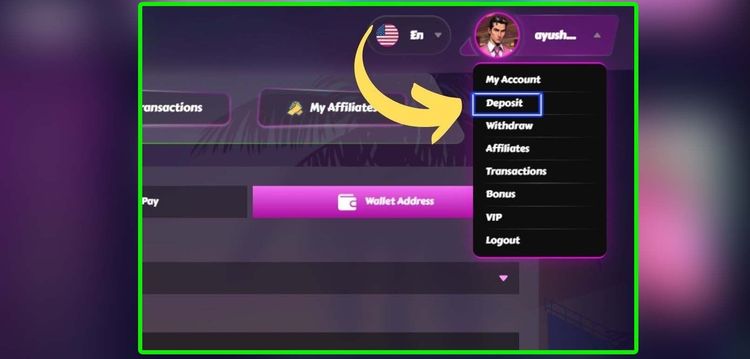
Click on your profile in the upper right corner. Click on “Deposit”. You’ll be redirected to a different interface with multiple options.
You’ll see multiple options. Click on the option suitable for you.
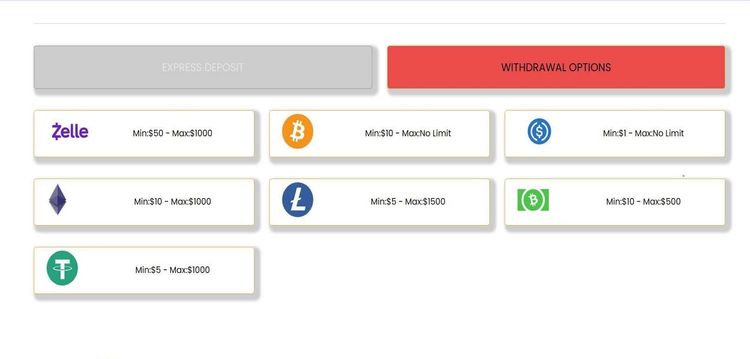
Deposit Procedure for Zelle:
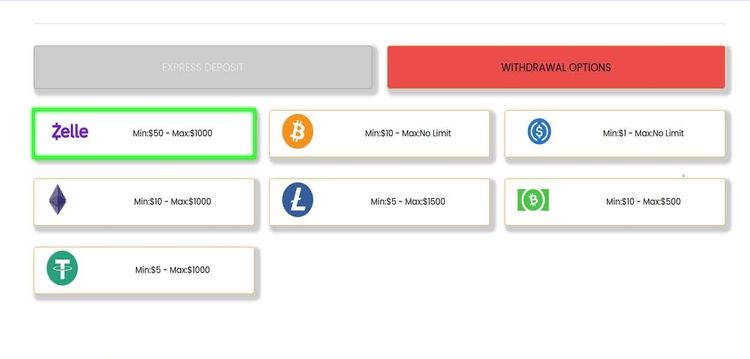
There’s a minimum amount of $50.00 and a maximum of $1000.00 limit if you deposit using Zelle.
Click on the Zelle option. You’ll see a form to fill out.
Mention the amount you want to deposit.
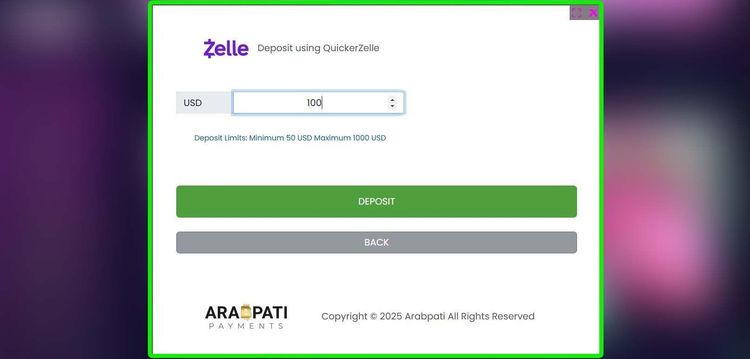
Fill out the form and click the “Buy Now” button.
There’s a different deposit range if you deposit using a Cryptocurrency.
Select the cryptocurrency option of your choice.
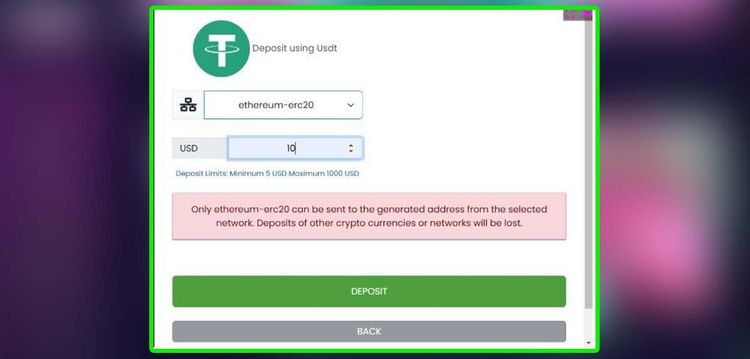
Here, we have taken Usdt as a reference. A box will appear when you click any option. Mention the amount you want to deposit and click on “Deposit”.
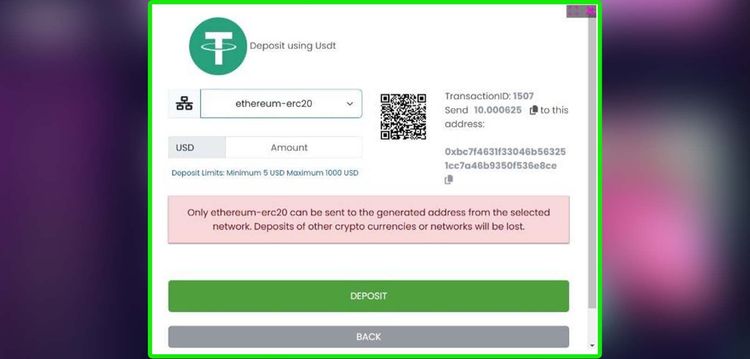
You’ll receive a transaction ID and an address. Copy the address and load crypto to that address from your wallet.
You’ll be able to deposit money successfully into Bitsky.
Now you can choose any game of your choice to play.